


Miga Town: My World
4.210.06K Reviews
App Specs
- Version
- 1.102
- Updated On
- License
- Free
- Downloads
- 50,000,000+
- Developer
- XiHe Digital (GuangZhou) Technology Co., Ltd.
- Categories
- Educational
- Platform
- Android, iOS
Screenshots
 Analysis by AppCompare
When I want a relaxed creative game rather than a challenge with levels to beat, Miga Town: My World is the kind of place I can dip into and shape at my own pace. Its appeal is less about reaching a finish line and more about making little scenes, moving characters around, and deciding what happens next. That open-ended approach can be lovely for imaginative play, though it also means the game works best when you bring your own ideas instead of expecting a guided story.
What the game is like today
This is an educational sandbox game from XiHe Digital (GuangZhou) Technology Co., Ltd. I see its educational side in the way it invites players to make choices, arrange spaces, and invent situations, not in lessons or quizzes. The overall experience is closer to a digital dollhouse than a traditional game with missions. That distinction matters: children who enjoy role-play and arranging things may settle in happily, while players looking for clear objectives or frequent rewards may lose interest.
The game is free to download, with in-app purchases priced from $0.99 to $69.99 per item. I would treat the free experience as a chance to see whether its style suits your household before considering any extras. Since purchases can vary widely in price, it is sensible for an adult to review them with a child and set expectations before play. The Everyone age rating makes the game broadly accessible, but it does not replace a parent’s own judgment about how a child uses a device or handles optional spending.
Its reach suggests that plenty of players are drawn to this kind of creative play: it has more than 50 million installs and an average rating of 4.2 from around 731,000 ratings. I take that as useful context, not a promise that every player will enjoy it. A large audience can confirm that the idea has broad appeal, but the open-ended format remains a matter of taste.
Welcome to Miga Town
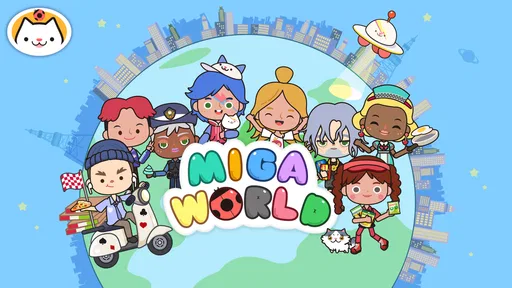
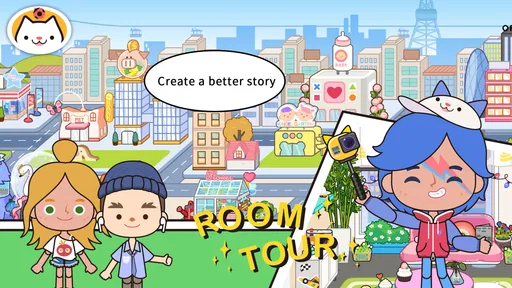
First off, Miga Town: My World is like stepping into a universe that’s entirely yours to shape. Imagine a place bustling with activity, where you can control every little detail. From designing homes to creating characters, the freedom is endless. The game is available on both Android and iOS, making it super accessible if you're eager to jump in.
Getting Started
When you first open the app, you’re greeted with a vibrant and colorful interface that’s inviting and easy to navigate. The game doesn’t throw you into the deep end. Instead, it offers a gentle introduction, allowing you to get accustomed to the controls and various features. Trust me, you’ll be crafting your unique world in no time!
One thing I particularly loved was the intuitive drag-and-drop mechanics. Designing your world feels natural and fun. Whether you’re moving furniture around or dressing up characters, everything works smoothly without any hiccups.
Worth Reading Before You Choose

Flipboard Shows What News Apps Must Do Beyond the Feed

Switching to Android Auto Means Rethinking Your Driving Routine

Google Calendar Makes a Crowded Week Easier to Manage

Ludo King Makes the Most of the Minutes Between Plans

Baby Panda World Brings Quick Play to Modern Phones, but Its Game Library Feels Busy

ESPN’s Live Game View Makes Following Close Games Easier
A useful way to begin is to pick one small scene and give it a purpose before trying to create a whole town. For example, I might decide that a room is where a character gets ready for the day, then place only the objects that help tell that story. This keeps the choices manageable and makes the result feel intentional. For younger players, it can also turn a screen session into a simple storytelling prompt: who lives here, what are they doing, and what might happen next?
The relaxed pace is a strength, but it can also leave a new player wondering what to do after the first burst of decorating. I would not approach it expecting a tutorial that lays out a sequence of goals. Instead, use a loose plan—make a home, set up a visit, or stage a small scene—and let the play grow from there. If a child prefers being told exactly what to accomplish, a puzzle game or a more structured educational title may be a better fit.
Design Your Dream World
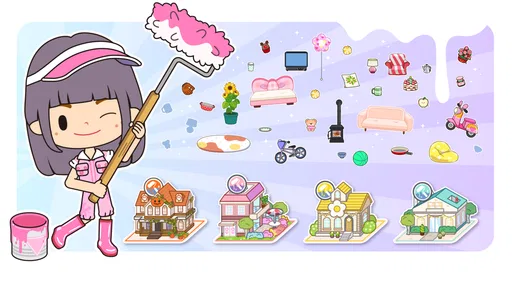
Now, let’s talk about the heart of the game: customization. The level of detail you can achieve in Miga Town is seriously impressive. Want a house with a rooftop garden? Go for it! Dreaming of a bustling city center or a serene countryside? You got it! The game provides a plethora of tools and options to bring your imagination to life.
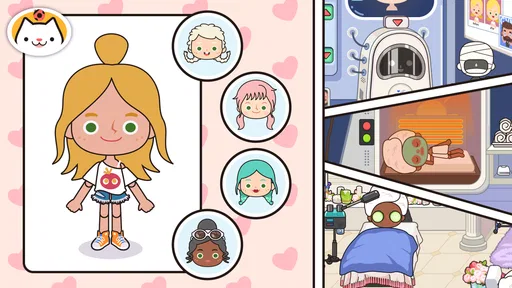
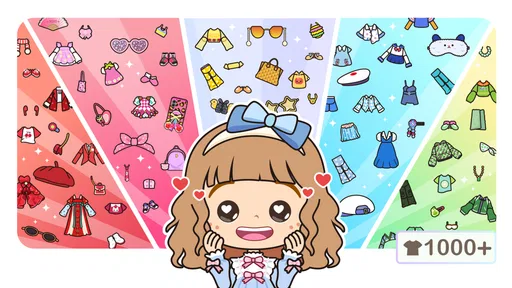
Moreover, the variety of characters you can create adds another layer of fun. Pick from countless outfits, hairstyles, and accessories to give your characters a unique flair. It’s like having your very own dollhouse but with endless possibilities.
One trade-off with this freedom is that a bigger collection of choices can make it harder to settle on a design. I find it helpful to create a simple theme first—such as a family home, a café visit, or a day out—and then choose a few details that support it. That approach is often more satisfying than trying to use every appealing object at once. It also gives children a manageable way to practice planning: decide on the scene, arrange it, and then adjust what does not fit.
For a shared play session, taking turns can work better than letting everyone rearrange the same scene at once. One person can choose the characters, another can set the room, and then you can make up what happens together. This is a small but practical way to turn solo customization into cooperative play without needing a score or winner. If the child would rather make every decision independently, though, it is just as easy to let them direct the whole story.
Exploration and Interaction
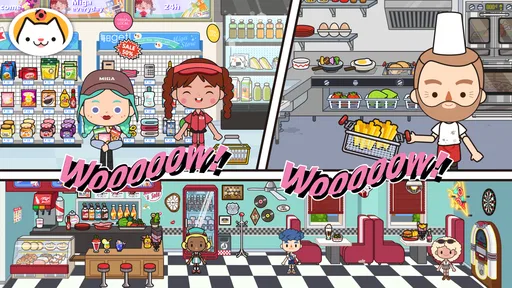
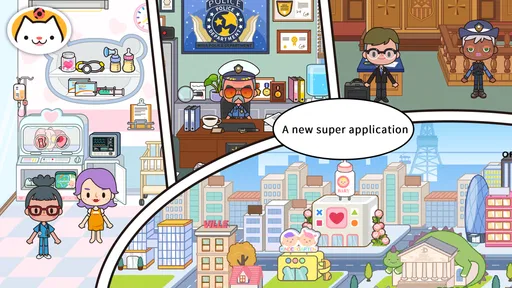
What’s a world without some exploration, right? Miga Town doesn’t disappoint here. You can roam around different locations, each with its own charm and set of activities. Whether you’re visiting the local bakery or heading to the amusement park, there’s always something to do.
The interactive elements make the game feel alive. Characters can engage in various activities, from cooking to playing musical instruments. It’s these small details that make the game immersive and enjoyable.
A realistic everyday use is a short stretch of play after school or during a quiet wait: a child can choose one location, invent a reason for the visit, and act it out with the characters. Because the play does not depend on winning, it can be paused when it is time to move on, then resumed later with a different scenario. I would still set a stopping point in advance, since an open-ended game does not naturally signal that a session is finished.
Compared with many educational games built around matching, counting, or answering questions, this one gives more room for pretend play and visual organization. That makes it a better choice when the goal is creativity or relaxed storytelling than when a parent wants a specific academic skill practiced. Compared with a traditional life-simulation game, its appeal is the freedom to make scenes without needing to manage a long chain of tasks. The flip side is that players who want a strong plot, progression system, or clear achievements may prefer a more structured alternative.
Perfect for Kids and Adults Alike
While Miga Town: My World is undoubtedly a hit among kids, don’t be surprised if you find yourself hooked too. It’s a great way to unwind and let your creativity flow after a long day. Plus, it’s a fantastic tool for kids to learn about design and problem-solving in a fun environment.
The game is designed to be user-friendly, ensuring that players of all ages can enjoy it. The bright, colorful graphics and simple controls make it accessible and engaging for everyone.
I think it suits children who like to invent characters, rearrange spaces, and narrate their own stories. It can also work for an adult who wants a low-pressure creative break, especially if they enjoy setting up scenes rather than chasing objectives. It is less suitable for someone who needs a game to hold their attention through constant new goals, or for a family looking for a focused lesson with measurable progress. In those situations, a guided learning app or a mission-based game is likely to offer more direction.
For parents, the most helpful way to get a feel for the game is to sit with a child for a first session and ask them to explain the story they are making. That gives you a clearer sense of whether they are enjoying the open-ended play and helps you understand what they find engaging. It also makes it easier to discuss optional purchases calmly before a request comes up in the middle of play.
Free to Play, with Extras
It’s worth mentioning that the game is free to download, which is always a plus. However, there are in-app purchases available if you want to expand your world with additional content. These extras are by no means necessary to enjoy the game, but they do offer more variety if you’re looking to enhance your experience.
The current version is 1.96, and the game first arrived on November 27, 2019. Those details place it as an established title rather than a newly launched experiment; the version number tells me where the app stands now, but does not by itself explain what changed between releases. For existing players, the sensible expectation is to check the current app on their device and continue using the features they already enjoy, rather than assume a particular update introduced a specific tool or location.
It supports Android 5.1 and later, which makes it available to a broad range of Android devices. That does not guarantee identical performance on every phone or tablet, so I would try a short session on the device the child will actually use before planning a longer play period. The same practical check applies to storage and comfort: a game that feels fine on one screen may be less pleasant on another, especially for a child who prefers larger touch targets.
One useful purchasing habit is to decide what the free version already lets your child do before looking at paid additions. Ask whether they have run out of ideas or simply want a particular extra; those are different reasons to spend. Since the per-item prices span a broad range, I would check the amount shown for each item rather than assume every purchase costs about the same. The game is most rewarding when the child is making stories, not when they are being encouraged to collect content for its own sake.
How I’d decide whether to keep it
After a few sessions, I would judge the game by whether the player starts making their own plans. If they return to a scene, invent a new visit, or change a character to fit a story, the open format is doing its job. If they keep asking what the next mission is, that is a sign the game may not match their preferred style. There is no need to buy anything to answer that question; a little time with the available play is a better test than an impulse purchase.
For a child who loves imaginative role-play, the best routine is to offer a prompt without taking over: “Who is visiting today?” or “What is happening in this room?” Then let them decide how the scene unfolds. For an adult trying it as a creative pastime, I would use the same principle and build a tiny scenario instead of treating the town as a checklist. Both approaches make the freedom feel purposeful rather than overwhelming.
Overall, Miga Town: My World is a delightful escape into a realm where you call the shots. Whether you’re building, exploring, or interacting, the game offers a rich and rewarding experience that’s sure to captivate your imagination. So, why not give it a try and see what kind of world you can create?
Pros
- Vivid
- engaging graphics for immersive play.
- Wide variety of locations to explore.
- Customizable characters enhance creativity.
- Frequent updates with new content.
- Offline play available
- no internet needed.
Cons
- In-app purchases can add up quickly.
- Limited free content without purchases.
- Some areas need improvement in interactivity.
- Occasional performance issues on older devices.
- Navigation can be confusing for new users.
FAQs for Miga Town: My World
What is Miga Town: My World?
Miga Town: My World is a creative educational app that allows children to explore a virtual world filled with various locations and characters. Users can interact with their environment, customize characters, and create their own narratives. It's designed to stimulate imagination and creativity in a safe, child-friendly setting.
Is Miga Town: My World suitable for all ages?
Miga Town: My World is primarily designed for children aged 3 to 8. Its user-friendly interface and engaging content make it accessible and enjoyable for young children. However, parents should review the app to ensure it aligns with their child's interests and developmental needs.
Does Miga Town: My World require an internet connection?
Miga Town: My World can be played offline, making it a convenient option for entertainment on the go. However, some features, such as downloading additional content or updates, may require an internet connection. It's advisable to check these requirements to avoid unexpected data usage.
Are there in-app purchases in Miga Town: My World?
Yes, Miga Town: My World offers in-app purchases. While the app is free to download, additional locations and features can be bought to enhance the gameplay experience. Parents should monitor these purchases and possibly set up parental controls to manage spending.
How does Miga Town: My World ensure child safety?
Miga Town: My World is designed with child safety in mind, featuring no third-party ads and a secure environment for exploration. The app's developers focus on providing a safe, ad-free experience, but parents should still review the app's privacy policy to understand how data is handled.


